Enable the TypeBoost Keyboard on iPhone
You can use TypeBoost inside any app on iOS by enabeling our iOS keyboard extension.
Ensure you have the TypeBoost iOS app installed and updated to the latest version. You can download it directly from the App Store.
Next, add the keyboard through your iPhone settings:
Add the Keyboard
-
Open the TypeBoost app and sign in.
-
Open the iPhone Settings app.
-
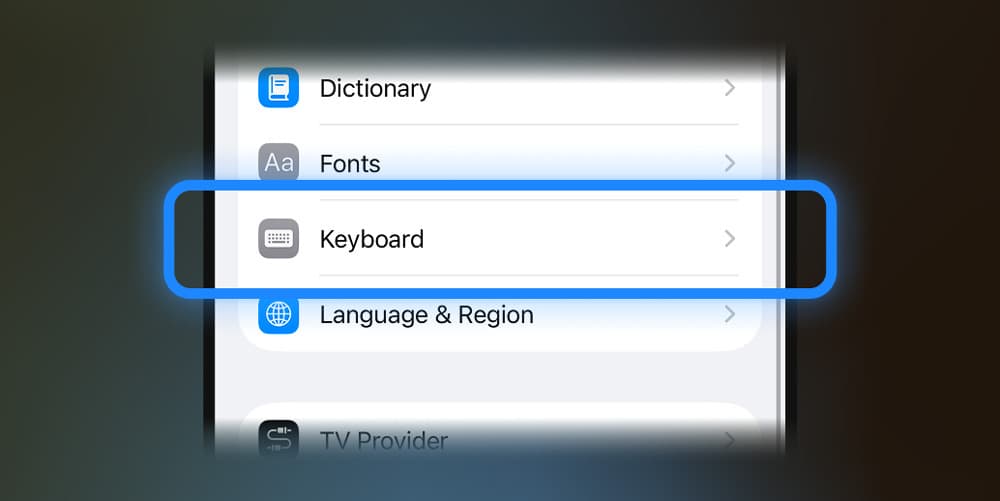
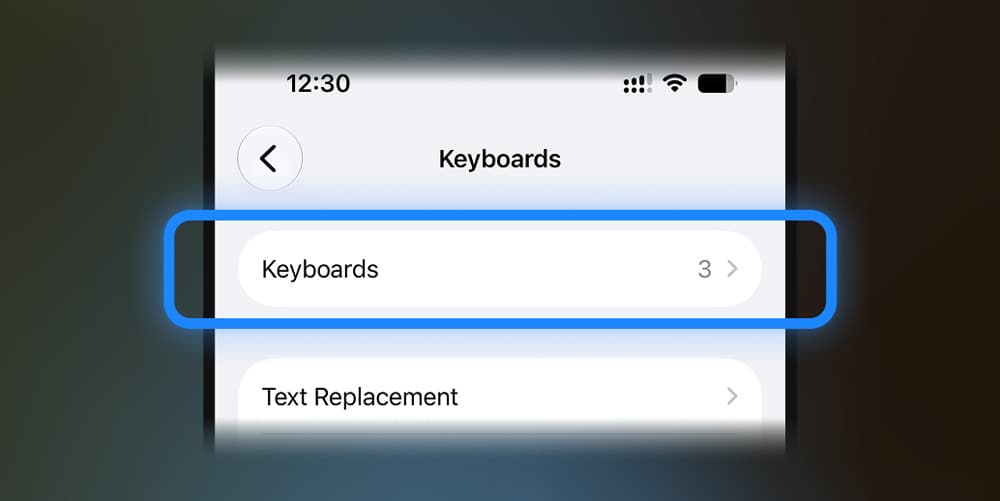
Go to General > Keyboard > Keyboards.
-
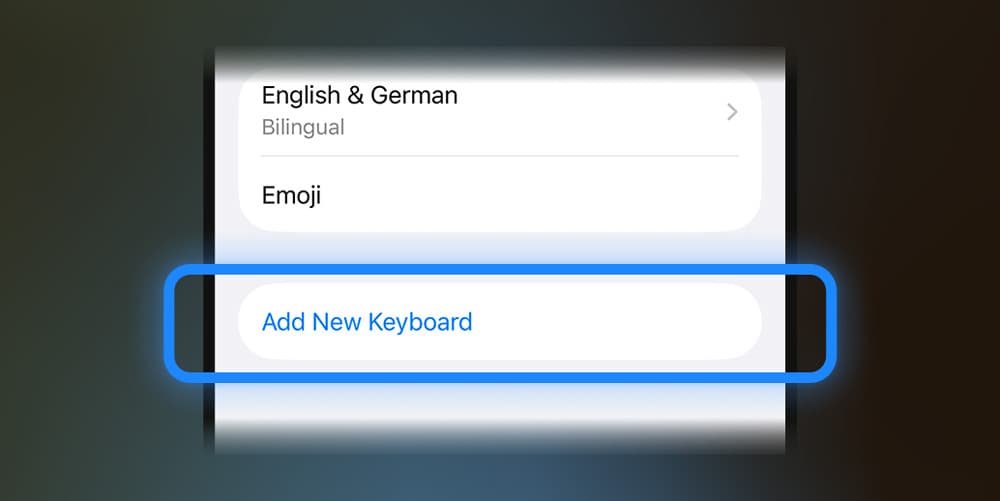
Tap Add New Keyboard.
-
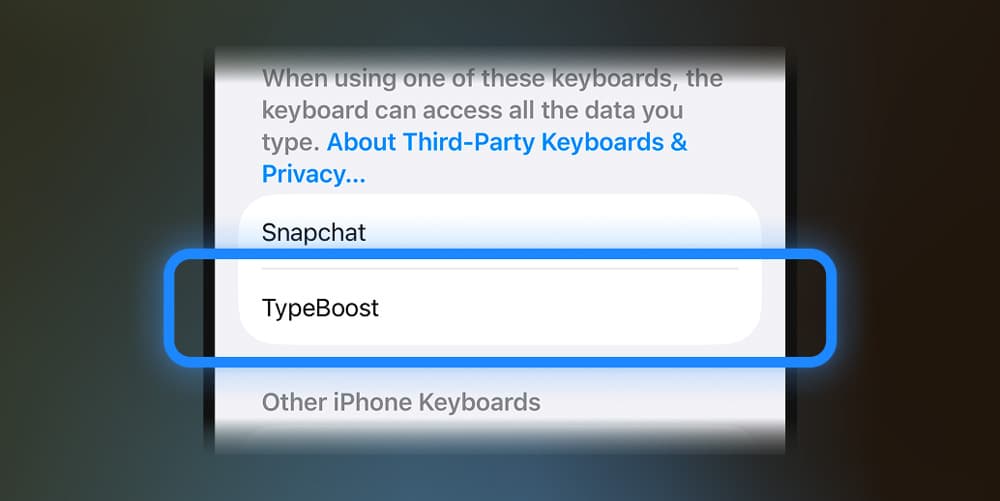
Under Third-Party Keyboards, choose TypeBoost.
-
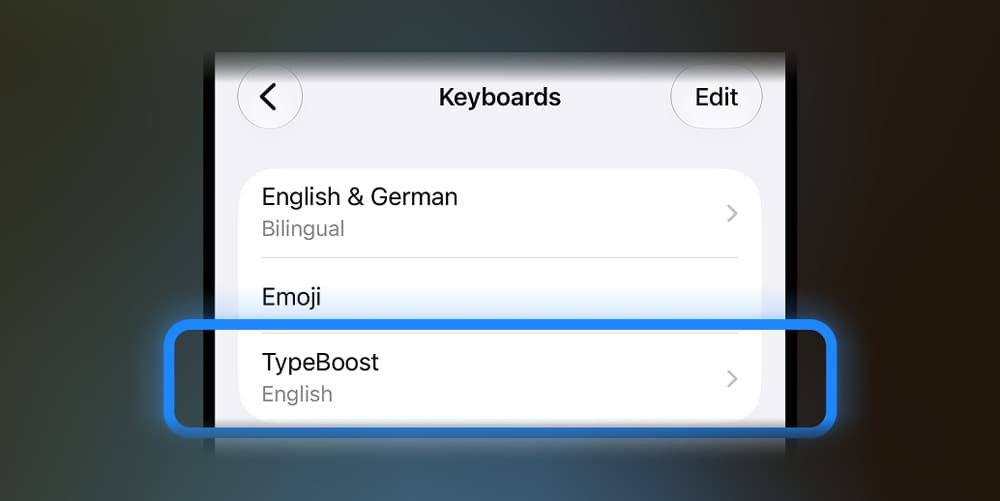
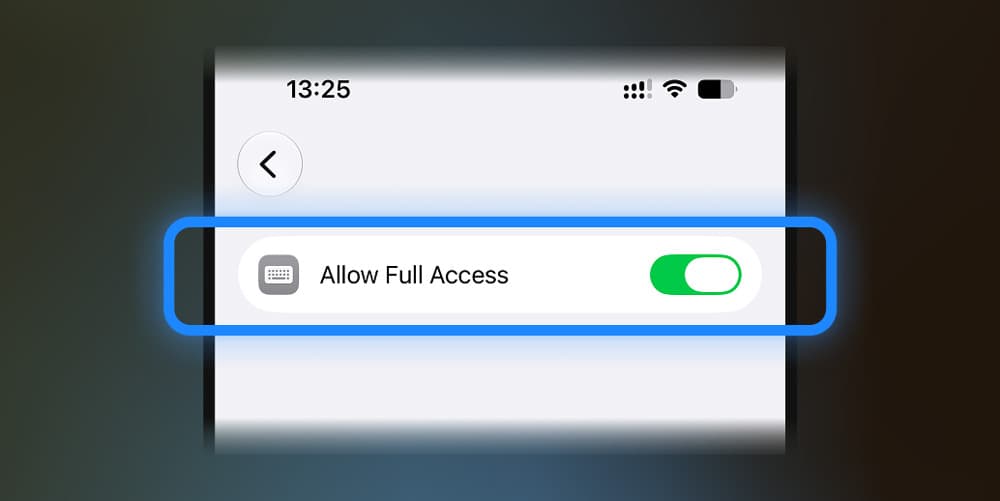
Go back to Keyboards, tap TypeBoost, then turn on Allow Full Access.
Confirm the iOS prompt.
TypeBoost needs Full Access to sync your prompts and run them through the TypeBoost API.
Use the Keyboard
Open any app with a text field.
Tap and hold the globe or emoji key, then choose TypeBoost.
If TypeBoost does not appear, close and reopen the app you are typing in.
Next: Use TypeBoost on iPhone